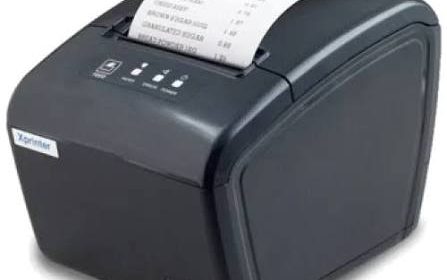
Connectivity is an important consideration when selecting printing equipment for modern business environments. Retail stores, restaurants, warehouses, and logistics companies rely on printers that can communicate efficiently with computers, point-of-sale (POS) terminals, mobile devices, and business management systems. A suitable connection helps ensure that printing tasks are completed smoothly without unnecessary delays or complicated manual processes.
Modern thermal printers support different connectivity methods to accommodate various workplace requirements. An Xprinter Thermal Printer may offer different connection options depending on its model and specifications. Understanding how these interfaces work can help businesses choose equipment that fits their existing systems, workspace arrangement, and daily printing needs.
Why Connectivity Matters in Thermal Printing
A thermal printer receives information from a connected device and converts it into printed text, graphics, receipts, or labels. The connection between these devices influences how printing instructions are transferred and how easily the printer can be integrated into business operations.
For example, a retail cashier may send receipt information directly from a POS terminal, while a warehouse employee may print product labels from inventory management software.
Choosing an appropriate connection can provide several advantages:
- Simplifies communication between printers and connected devices.
- Supports integration with POS and inventory systems.
- Reduces unnecessary manual printing steps.
- Helps organize multiple workstations.
- Provides flexibility in printer placement.
- Supports different business workflows.
The best connectivity option depends on the printer’s supported interfaces and the requirements of the software and devices being used.
1. USB Connectivity for Direct Connections
USB is one of the most common connectivity options available in thermal printing equipment. It allows a printer to connect directly to a computer, POS terminal, or another compatible device.
Once the appropriate driver is installed, the connected system can send printing instructions through the USB interface.
Benefits of USB Connectivity
USB connections are useful for businesses that operate a dedicated computer or POS terminal at each workstation.
Important advantages include:
- Straightforward physical connection.
- Convenient installation in many computer-based environments.
- Stable communication over a suitable cable.
- No wireless network configuration required.
- Practical operation for individual workstations.
Common Applications
Retail counters, small restaurants, offices, and service desks often use USB-connected receipt printers.
For example, a cashier can complete a transaction through POS software and send the receipt directly to the printer without manually transferring information.
Businesses should check the supported USB interface, cable requirements, driver compatibility, and operating system support before installation.
2. Ethernet Connectivity for Network Printing
Ethernet allows compatible thermal printers to connect to a local area network through a network cable. This can be useful in businesses where printing equipment needs to communicate with multiple computers or POS terminals.
Instead of connecting the printer directly to one workstation, network configuration may allow authorized devices on the same network to send printing jobs.
Benefits of Ethernet Connectivity
Ethernet is particularly useful in environments where stable network communication is important.
Its advantages may include:
- Wired network communication.
- Flexible printer placement within network infrastructure.
- Support for shared printing environments.
- Reduced dependence on individual USB connections.
- Convenient integration with compatible business systems.
Common Applications
Restaurants may use network-connected printers at different service stations, while warehouses may position label printers near packing or dispatch areas.
Before choosing an Ethernet model, businesses should verify network configuration requirements, supported protocols, IP address settings, and software compatibility.
3. Bluetooth Connectivity for Wireless Printing
Bluetooth provides short-range wireless communication between compatible devices. Thermal printers with Bluetooth support can connect to smartphones, tablets, and other supported equipment without requiring a direct data cable.
This can be useful for businesses that operate mobile POS systems or need printing equipment that can be positioned more flexibly.
Benefits of Bluetooth Connectivity
Bluetooth can help simplify printing in environments where wired connections are inconvenient.
Common benefits include:
- Wireless communication with compatible devices.
- Reduced cable clutter.
- Convenient pairing for supported mobile systems.
- Greater flexibility in certain workstation arrangements.
- Practical use with portable POS equipment.
Common Applications
Small retailers, delivery services, mobile vendors, and hospitality businesses may use Bluetooth thermal printers for receipts and transaction records.
For example, a mobile sales employee can use a compatible tablet-based POS application to send a receipt to a nearby Bluetooth printer.
However, connection range, pairing procedures, supported operating systems, and simultaneous device connections vary by model.
4. Wi-Fi Connectivity for Wireless Network Environments
Wi-Fi enables compatible thermal printers to connect to wireless local area networks. This can be helpful when businesses want to position printing equipment without running network cables to every workstation.
Once properly configured, devices on the supported network may be able to send printing jobs according to the printer’s permissions and software setup.
Benefits of Wi-Fi Connectivity
Wi-Fi can offer several practical advantages:
- Flexible printer placement within wireless coverage.
- Reduced dependence on physical network cables.
- Support for compatible network-based printing.
- Convenient integration with certain mobile and computer systems.
- Potential use across multiple workstations.
Common Applications
Restaurants, retail stores, offices, and warehouses may use Wi-Fi-enabled printers where wireless infrastructure is already available.
For reliable operation, businesses should consider signal strength, network security, router configuration, and the distance between the printer and access point.
A stable wireless network is important because weak signals or connection interruptions can delay printing tasks.
5. Serial Connectivity in Specialized Systems
Some thermal printers support serial communication through interfaces such as RS-232. Although USB and network connections are common in modern business environments, serial interfaces remain useful in certain established systems.
Serial communication transfers data between compatible devices through a dedicated connection.
Benefits of Serial Connectivity
Serial interfaces may be appropriate when businesses use specialized equipment or older POS systems that already rely on this communication method.
Potential advantages include:
- Compatibility with certain legacy devices.
- Support for specialized industrial systems.
- Direct communication through established serial configurations.
- Use in applications where existing infrastructure is difficult to replace.
Businesses should confirm baud rate, data bits, parity, flow control, and connector requirements before using a serial interface.
6. Comparing Different Thermal Printer Connectivity Options
Each connection method offers different benefits. The following comparison can help businesses understand their general characteristics.
| Connectivity Option | Main Advantage | Common Application |
|---|---|---|
| USB | Direct and straightforward connection | Retail counters and offices |
| Ethernet | Wired network communication | Shared business printing |
| Bluetooth | Short-range wireless printing | Mobile POS systems |
| Wi-Fi | Wireless network integration | Restaurants and flexible workstations |
| Serial | Compatibility with specialized systems | Legacy POS and industrial equipment |
Not every thermal printer includes all these interfaces. Businesses should review the specifications of the exact model before making a purchasing decision.
7. Connectivity and POS System Integration
Point-of-sale systems are widely used in retail and hospitality businesses to manage transactions, payments, and sales records.
A compatible thermal printer can receive transaction information from POS software and produce receipts automatically. This reduces the need for employees to enter the same information into separate systems.
The connection method affects how the printer communicates with the POS terminal or network.
For successful integration, businesses should check:
- POS software compatibility.
- Supported printer drivers.
- Connection interface availability.
- Supported printing command languages.
- Receipt formatting requirements.
- Operating system support.
Some POS applications support only specific printer models or interfaces, so checking compatibility before purchasing can prevent installation problems.
8. Connectivity for Barcode and Label Printing
Thermal label printers are frequently used to produce product identification labels, shipping documents, and inventory barcodes.
Connectivity allows these printers to receive label information from warehouse management systems, inventory software, shipping applications, and barcode design programs.
For example, an employee can select a product in inventory software and send the relevant barcode label to a connected printer.
Different interfaces support different workflows:
- USB can connect a label printer directly to a dedicated computer.
- Ethernet can support network-based printing in warehouses.
- Wi-Fi can provide flexibility where network cabling is inconvenient.
- Bluetooth may support compatible mobile printing applications.
The printer’s barcode capabilities, software compatibility, and media specifications are just as important as its connection type.
9. Factors to Consider When Choosing a Connectivity Option
Businesses should evaluate their working environment before selecting a printer. The most advanced interface is not necessarily the most suitable one.
Existing Infrastructure
Consider the devices and network systems already used by the business. A USB connection may be sufficient for a single workstation, while Ethernet may be more suitable for a shared printing environment.
Printer Location
Think about where the printer will be installed. A device placed near a computer may use a direct cable, while a printer positioned in a separate department may benefit from network connectivity.
Number of Connected Devices
Businesses that need multiple workstations to access one printer should evaluate supported network printing configurations.
Software Compatibility
Check whether the selected interface works with the POS, inventory, shipping, or label-design software used by the business.
Security Requirements
Network and wireless printers should be configured with appropriate security settings. Businesses should avoid leaving devices accessible to unauthorized users.
Future Expansion
A company planning to add workstations or expand its operations should consider whether the selected connection method can support its expected requirements.
10. Common Connectivity Problems and Their Solutions
Connectivity problems can interrupt business printing even when the printer’s mechanical components are working correctly.
Understanding common issues can help employees identify basic problems before requesting technical assistance.
| Problem | Possible Cause | Recommended Solution |
|---|---|---|
| USB printer not detected | Loose cable or missing driver | Check the cable and install a compatible driver |
| Ethernet printer unavailable | Network configuration issue | Check the network cable and IP settings |
| Bluetooth pairing failure | Incorrect pairing or unsupported device | Review pairing instructions and device compatibility |
| Wi-Fi printing interruptions | Weak signal or network instability | Check wireless coverage and router settings |
| Incorrect print output | Software or command configuration | Verify driver and application settings |
| Printer repeatedly disconnects | Cable, power, or network problem | Inspect connections and power supply |
If a problem continues after basic checks, businesses should consult the printer documentation or contact qualified technical support.
11. Best Practices for Reliable Thermal Printer Connectivity
Proper installation and configuration help maintain consistent communication between printing equipment and connected devices.
Businesses can follow these practices:
- Use compatible cables: Select cables and adapters that meet the printer’s specifications.
- Install the correct drivers: Use manufacturer-supported drivers for the operating system.
- Configure network settings carefully: Verify IP addresses and other required settings for Ethernet or Wi-Fi connections.
- Maintain wireless coverage: Position wireless printers within a suitable signal range.
- Secure network access: Use appropriate passwords and access controls.
- Check software compatibility: Confirm that business applications support the selected printer interface.
- Inspect connections regularly: Look for loose cables, damaged connectors, and unstable network links.
- Test printing after installation: Send sample printing jobs to confirm that communication works correctly.
These steps can reduce avoidable connection problems and support more dependable printing operations.
Conclusion
Connectivity plays an important role in the performance and flexibility of modern thermal printers. USB, Ethernet, Bluetooth, Wi-Fi, and serial interfaces each serve different operational requirements, from individual checkout counters to network-based warehouse printing environments.
The right option depends on existing infrastructure, printer placement, connected devices, software compatibility, and business expansion plans. By reviewing the specifications of the selected model and configuring its connection correctly, businesses can integrate thermal printing equipment into their workflows more effectively and maintain reliable communication across daily operations.