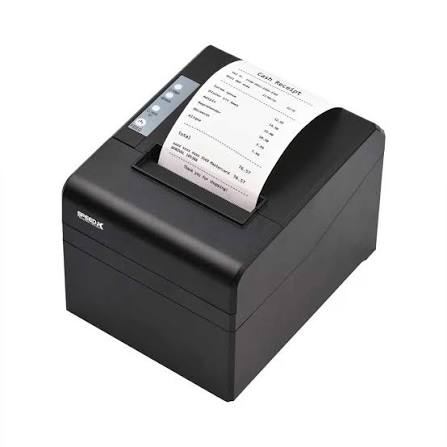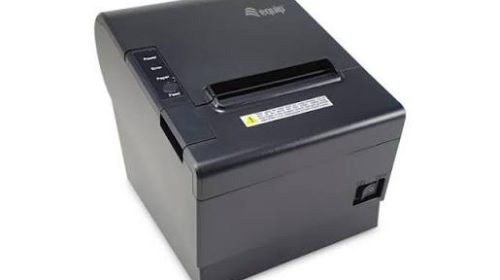
Modern businesses rely on efficient point-of-sale systems to process transactions, maintain accurate records, and provide customers with proof of purchase. A reliable receipt printer is an important part of this setup because it converts transaction information into clear, usable documents. However, choosing the right equipment involves more than comparing prices or selecting a model with a compact design.
When evaluating a Receipt Printer, businesses should consider features that influence printing performance, system compatibility, maintenance, and long-term operating costs. Printing speed, resolution, connectivity, paper handling, durability, and software support can all affect how well a printer performs in daily operations. Understanding these features makes it easier to identify a model that meets current business needs while allowing room for future growth.
1. Printing Technology
The printing technology determines how a receipt printer produces text, numbers, and graphics. Modern models mainly use thermal printing, although impact printers remain relevant for certain applications.
Direct Thermal Printing
Direct thermal printers use a heated print head to activate a special coating on thermal paper. This technology does not require traditional ink cartridges or ribbons.
Common advantages include:
- Fast receipt production
- Quiet operation
- Fewer consumable components
- Compact printer designs
- Convenient paper replacement
Direct thermal technology is widely used in retail stores, supermarkets, restaurants, and other point-of-sale environments.
Impact Printing
Impact printers use pins that strike an ink ribbon against paper. They are generally louder and slower than thermal models but can support multipart forms.
Businesses that need duplicate order slips or documents in specialized environments may find impact printing more suitable.
Selecting the appropriate technology depends on the type of documents produced, expected printing volume, and working environment.
2. Printing Speed
Printing speed is an important feature for businesses that process frequent transactions. A slow printer can increase waiting times at checkout counters, especially during busy periods.
Manufacturers commonly measure thermal printing speed in millimeters per second. Higher speeds can help reduce the time required to produce receipts, although actual performance also depends on document complexity, printer settings, and system processing.
When comparing models, businesses should consider:
- Maximum stated printing speed
- Performance during continuous operation
- Time required to print typical receipts
- Compatibility with the POS system
- Expected daily transaction volume
A supermarket or busy restaurant may benefit from a faster printer, while a small service business with fewer transactions may have less demanding speed requirements.
3. Print Resolution and Output Quality
Print resolution affects the clarity of text, logos, barcodes, and other receipt elements. It is particularly important when receipts contain detailed transaction information or machine-readable codes.
Resolution is commonly expressed in dots per inch (DPI). A suitable resolution helps produce sharp characters and consistent graphics when used with compatible paper and properly configured software.
Businesses should examine sample printouts rather than relying only on technical specifications. Testing can reveal whether small text remains readable, logos appear clear, and barcodes can be scanned reliably.
4. Connectivity Options
Connectivity determines how a printer communicates with POS terminals, computers, tablets, and other devices. Choosing the right interface helps prevent installation problems and supports an efficient checkout workflow.
USB Connectivity
USB provides a direct wired connection between the printer and a compatible computer or POS terminal. It is often suitable for small businesses and individual checkout stations.
Ethernet Connectivity
Ethernet allows a printer to connect to a local network. This can support shared printing from multiple authorized terminals, depending on the system configuration.
Bluetooth Connectivity
Bluetooth is common in portable receipt printers. It allows compatible smartphones, tablets, and mobile POS devices to send print jobs wirelessly.
Wi-Fi Connectivity
Wi-Fi provides wireless communication through a supported network. It can offer flexible printer placement in restaurants, retail environments, and businesses using mobile checkout systems.
Before purchasing, confirm which interfaces are supported and whether they are compatible with the devices already used by the business.
5. Paper Width and Roll Capacity
Paper handling is another essential feature because it affects receipt layout, replacement frequency, and overall convenience.
Common thermal receipt widths include 58 mm and 80 mm, although supported formats vary by model. Narrower paper may be sufficient for basic transaction details, while wider paper provides more room for product descriptions, business information, and promotional content.
Businesses should evaluate:
- Supported paper width
- Maximum roll diameter
- Paper thickness requirements
- Paper loading mechanism
- Availability of compatible rolls
A printer with a larger supported roll capacity may reduce the frequency of paper replacement in busy environments. However, the roll size must remain within the manufacturer’s specifications.
6. Automatic Paper Cutting
An automatic cutter separates printed receipts from the paper roll after a print job. This feature can improve convenience and help employees handle transactions more quickly.
Modern receipt printers may use full-cut or partial-cut mechanisms. A full cut separates the receipt completely, while a partial cut leaves a small section attached for easier handling.
When evaluating the cutter, businesses should consider its durability, cutting consistency, and maintenance requirements. High-volume environments may benefit from a model with a cutter designed for frequent operation.
Not every business requires automatic cutting. Smaller operations with limited transaction volumes may find manual tearing sufficient.
7. Compatibility with POS Systems and Software
A printer’s technical features are only useful if it works properly with the business’s existing software and hardware.
Before purchasing, check compatibility with:
- POS applications
- Operating systems
- Printer drivers
- Supported command languages
- Computer and tablet interfaces
- Barcode and receipt formatting requirements
Some businesses use specialized POS software with specific printer requirements. Confirming compatibility before installation can prevent connection errors, incorrect formatting, and unnecessary configuration work.
Testing a printer with the actual POS setup is a practical way to verify that it can handle normal transaction workflows.
8. Durability and Build Quality
Receipt printers used throughout the day must withstand regular operation, paper replacement, and occasional handling. Build quality can influence reliability and long-term maintenance costs.
Important specifications may include print-head life, cutter life, operating temperature range, and recommended usage conditions. These details help businesses assess whether a model is suitable for its intended workload.
The surrounding environment also matters. Restaurants and kitchens may expose equipment to moisture, heat, and food particles, while warehouses may involve dust or frequent movement.
Choosing a printer designed for the actual working conditions can help reduce avoidable interruptions.
9. Compact Design and Installation Flexibility
Workspace is often limited at checkout counters and service desks. A compact printer can make installation easier while leaving sufficient room for payment terminals, scanners, and other equipment.
Consider the printer’s physical dimensions, weight, paper-loading access, cable placement, and mounting options. Some models support vertical or wall-mounted installation, while others are designed primarily for horizontal placement.
The printer should also be positioned where employees can replace paper rolls and access controls without disrupting their work.
10. Energy Efficiency and Power Requirements
Power consumption can be relevant for businesses operating several printers or using mobile equipment. Before purchasing, review the device’s power supply specifications and operating requirements.
Stationary printers generally use an external power adapter or another supported power connection. Portable models may include rechargeable batteries that allow printing away from a fixed power outlet.
For mobile applications, battery capacity and charging time are important considerations. Businesses should check expected battery performance under realistic printing conditions rather than relying only on general product descriptions.
11. Maintenance and Ease of Use
A printer that is easy to maintain can help reduce downtime and simplify employee training. Straightforward paper loading, accessible controls, and clear status indicators make daily operation more convenient.
Useful features may include:
- Easy-open paper compartments
- Clear paper-out indicators
- Accessible print-head cleaning areas
- Simple cutter maintenance
- Status lights or error alerts
- Convenient driver and firmware updates
Businesses should also check whether replacement parts and technical support are available. Clear maintenance instructions can help employees handle routine tasks correctly.
12. Mobile Printing and Wireless Functionality
Businesses that operate outside traditional checkout counters may benefit from portable receipt printers. These devices are often lightweight, battery-powered, and designed to connect with mobile POS equipment.
Wireless printing can support delivery services, outdoor vendors, transportation businesses, and field-based operations. Restaurant employees may also use mobile printers when processing payments at customer tables.
When evaluating mobile functionality, consider Bluetooth or Wi-Fi support, battery life, device compatibility, portability, and the printer’s ability to handle the required paper format.
13. Total Cost of Ownership
The initial purchase price does not represent the complete cost of owning a receipt printer. Businesses should account for consumables, maintenance, replacement components, and installation requirements.
Important cost considerations include:
- Equipment purchase price
- Thermal paper or ink ribbon expenses
- Replacement print heads and cutters
- Repair and maintenance costs
- Software integration requirements
- Battery replacement for portable models
- Expected service life
Comparing these factors can reveal which model offers better long-term value. A slightly more expensive printer may be economical if it provides suitable durability, lower maintenance requirements, and dependable performance.
14. Warranty and Technical Support
Warranty coverage and after-sales service can influence the long-term reliability of a printing solution. Businesses should review the warranty period, covered components, service conditions, and available support channels.
It is also useful to check whether the manufacturer provides product documentation, driver downloads, troubleshooting guidance, and replacement parts.
For businesses that depend on continuous transaction processing, accessible technical assistance can help resolve problems before they significantly affect operations.
Conclusion
Buying a modern receipt printer requires careful evaluation of features that influence daily performance and long-term usability. Printing technology, speed, resolution, connectivity, paper compatibility, automatic cutting, and POS integration are among the most important considerations. Durability, maintenance, power requirements, and technical support also affect the overall value of the equipment.
The best choice depends on the business’s transaction volume, operating environment, document requirements, and available technology. By comparing specifications with practical needs, businesses can select a receipt printer that supports efficient transactions, consistent output, and reliable point-of-sale operations.