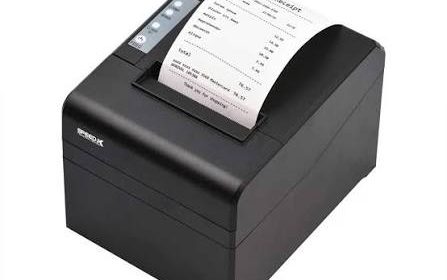
Modern businesses rely on efficient point-of-sale (POS) systems to process transactions, manage sales records, and provide customers with payment confirmations. As checkout technology continues to develop, the ability to connect printing equipment with computers, mobile devices, and business networks has become increasingly important. Choosing the right connection method can influence printing speed, equipment placement, system compatibility, and daily operational efficiency.
A Thermal Receipt Printer can support different connectivity options depending on its model and intended application. Common interfaces include USB, Ethernet, Bluetooth, Wi-Fi, and serial connections. Each option offers different advantages, making it important for businesses to understand how these technologies work before selecting printing equipment.
Why Connectivity Matters in Thermal Receipt Printing
Connectivity determines how a thermal printer receives transaction information from a POS terminal, computer, mobile device, or other connected system.
A suitable connection allows printing commands to reach the device reliably, helping employees generate receipts without unnecessary delays. It also determines how easily the printer can be integrated into an existing business environment.
The right connectivity option can help businesses:
- Connect printers with compatible POS systems.
- Support different checkout counter arrangements.
- Reduce unnecessary cable requirements.
- Enable centralized printing across networked devices.
- Improve flexibility for mobile transactions.
- Simplify integration with existing business software.
However, not every connection type is suitable for every environment. Businesses should consider their equipment, network infrastructure, transaction volume, and software requirements.
1. USB Connectivity
USB is one of the most common connection methods used in thermal receipt printers. It provides a direct link between the printer and a compatible computer or POS terminal.
When a transaction is completed, the connected system sends printing information through the USB cable. The printer processes the data and produces the receipt.
Advantages of USB Connections
USB connectivity is popular because it is straightforward to install and generally provides reliable communication over a direct connection.
Its main advantages include:
- Simple setup and configuration.
- Direct communication with a connected device.
- No wireless network required.
- Suitable for fixed checkout counters.
- Broad compatibility with many computer-based POS systems.
Limitations of USB Connectivity
A USB connection requires the printer to remain physically connected to the host device. This can limit placement flexibility and may create cable-management challenges in crowded workspaces.
USB is generally a practical option for small retail stores, reception desks, and businesses operating individual checkout stations.
2. Ethernet Connectivity
Ethernet allows thermal receipt printers to connect to a local area network through a network cable. Once configured, compatible computers and POS terminals can communicate with the printer through the network.
This connection method is particularly useful in businesses that operate multiple checkout stations or require printing from different locations.
Advantages of Ethernet Connections
Ethernet provides several practical benefits:
- Supports network-based printing.
- Allows multiple authorized devices to access a shared printer.
- Provides a stable wired connection.
- Reduces dependence on wireless signal quality.
- Supports organized printing arrangements in larger businesses.
For example, a restaurant may connect receipt printers to its local network so that compatible POS terminals can send printing commands to designated devices.
Limitations of Ethernet Connectivity
Ethernet requires suitable network infrastructure, including cables, routers, switches, and correct network configuration.
Initial installation may require assistance from an IT professional, especially when multiple printers and terminals need to communicate across the same network.
Ethernet is often suitable for supermarkets, restaurants, hotels, and larger retail environments.
3. Bluetooth Connectivity
Bluetooth allows compatible thermal receipt printers to communicate wirelessly with nearby devices.
This technology is commonly used with smartphones, tablets, and portable POS terminals. It can be particularly useful for businesses that process transactions away from fixed checkout counters.
Advantages of Bluetooth Connections
Bluetooth connectivity offers several benefits:
- Reduces the need for physical connection cables.
- Supports compatible mobile POS devices.
- Allows flexible printer placement within connection range.
- Simplifies printing in temporary or mobile workspaces.
- Can be convenient for small businesses and service providers.
For example, a delivery business may use a compatible mobile device to process payments and print receipts using a portable Bluetooth printer.
Limitations of Bluetooth Connectivity
Bluetooth operates within a relatively limited communication range. Obstacles, interference, device compatibility, and pairing settings can affect connection reliability.
Businesses should also check how many devices can connect to the printer and whether their POS software supports the required Bluetooth communication method.
Bluetooth is especially useful for mobile sales, outdoor services, and businesses that need portable printing capabilities.
4. Wi-Fi Connectivity
Wi-Fi allows compatible thermal receipt printers to communicate with devices over a wireless local network.
Unlike Bluetooth, which is generally designed for nearby device connections, Wi-Fi can support communication across a larger network area when suitable infrastructure is available.
Advantages of Wi-Fi Connections
Wi-Fi provides flexibility for businesses that want to position printers without running individual network cables to every device.
Common advantages include:
- Wireless communication with compatible systems.
- Flexible printer placement.
- Support for network-based printing.
- Reduced cable installation requirements.
- Potential integration with multiple POS devices.
For example, a restaurant may use Wi-Fi-connected printers at different service stations to receive printing instructions from compatible POS terminals.
Limitations of Wi-Fi Connectivity
Wireless performance depends on network coverage, signal strength, configuration, and the number of connected devices.
Network congestion or an unstable router can interrupt printing communication. Businesses should also configure appropriate network security measures to prevent unauthorized access.
Wi-Fi is useful in restaurants, retail stores, hospitality facilities, and other environments where flexible equipment placement is important.
5. Serial Connectivity
Serial interfaces, commonly using RS-232 communication, are found in some traditional POS systems and specialized commercial equipment.
This connection method transfers data between devices through a serial communication port. Although it is less common in many newer consumer-oriented systems, it remains relevant in certain established business environments.
Advantages of Serial Connections
- Supports compatible legacy POS equipment.
- Provides straightforward point-to-point communication.
- Can be suitable for specialized industrial applications.
- Offers a simple communication structure for supported systems.
Limitations of Serial Connectivity
Serial connections generally offer lower data-transfer capabilities than many modern interfaces. They may also require additional configuration, such as matching baud rates, parity settings, and other communication parameters.
Businesses using older POS equipment should verify compatibility before selecting a printer with a serial interface.
6. USB-C and Modern Interface Developments
USB-C is increasingly used across modern electronic devices because of its compact connector design and reversible orientation.
Where supported, USB-C can provide a convenient wired connection between compatible equipment. However, businesses should not assume that every USB-C thermal printer supports the same data-transfer or power features.
Compatibility depends on the printer’s hardware, cable specifications, host device, and software support.
When considering a printer with USB-C, businesses should review the manufacturer’s specifications to confirm whether the interface supports the intended POS application.
Comparison of Common Thermal Printer Connectivity Options
Different connection methods serve different business requirements. The following table summarizes their main characteristics.
| Connectivity Option | Connection Type | Main Advantage | Common Application |
|---|---|---|---|
| USB | Wired | Simple direct connection | Small retail counters |
| Ethernet | Wired network | Shared network printing | Supermarkets and restaurants |
| Bluetooth | Wireless | Mobile device compatibility | Portable POS systems |
| Wi-Fi | Wireless network | Flexible printer placement | Retail and hospitality |
| Serial | Wired | Legacy system compatibility | Older POS equipment |
| USB-C | Wired | Modern compact interface | Compatible newer devices |
The most suitable option depends on the business’s existing infrastructure and the way employees use printing equipment.
How to Choose the Right Connectivity Option
Selecting a connection method requires more than comparing technical specifications. Businesses should consider their operating environment and the devices that need to communicate with the printer.
1. Evaluate Existing POS Equipment
Start by checking the connection interfaces supported by the current POS terminals, computers, and mobile devices.
A printer may offer several connection options, but only compatible interfaces can be used without additional hardware or configuration.
2. Consider Printer Placement
The physical location of the printer can influence the choice.
A fixed checkout counter may work well with USB or Ethernet, while a mobile sales environment may benefit from Bluetooth connectivity.
Wi-Fi can be useful when printers need to operate at different locations within a suitable wireless network.
3. Assess the Number of Connected Devices
A business using a single POS terminal may only need a direct USB connection.
Larger operations with multiple checkout stations may benefit from Ethernet or Wi-Fi, provided the printer and software support shared network printing.
4. Review Network Reliability
Wireless connections depend on stable network coverage and correct configuration.
Businesses operating in environments with weak signals or heavy network congestion may prefer wired Ethernet for critical printing tasks.
5. Check Software and Driver Compatibility
Connectivity alone does not guarantee successful integration. The printer must also support the operating system, POS software, drivers, and communication protocols used by the business.
Confirm these requirements before purchasing equipment.
6. Consider Security Requirements
Network-connected printers should be configured with appropriate access controls and security settings.
Businesses should use secure wireless networks, update supported firmware when recommended, and restrict printer access to authorized devices.
7. Plan for Future Expansion
Businesses expecting to add checkout stations, mobile devices, or additional locations should consider whether their selected connectivity method can support future requirements.
Planning ahead can reduce the need to replace equipment when operations expand.
Connectivity Applications Across Different Industries
Thermal printer connectivity requirements vary depending on how businesses handle transactions.
Retail Stores
Retail businesses commonly use USB or Ethernet connections for fixed checkout counters. Larger stores may use network-connected printers to support multiple POS terminals.
Restaurants and Cafés
Restaurants often use Ethernet or Wi-Fi to connect receipt printers with POS systems across service counters and other operational areas. Bluetooth may be useful for portable payment devices.
Delivery and Mobile Businesses
Delivery providers, field service teams, and mobile vendors can benefit from Bluetooth-enabled portable printers. These devices allow employees to print transaction records without returning to a fixed workstation.
Healthcare Facilities
Clinics and pharmacies may use USB or network-connected printers to produce payment receipts and administrative documents. The connection method should support the facility’s existing software and security requirements.
Hotels and Hospitality Businesses
Hotels may use network-connected printers at reception desks, restaurants, and service areas. Ethernet and Wi-Fi can support flexible communication between compatible POS terminals and printing devices.
Common Connectivity Problems and Their Solutions
Even when a printer supports the correct interface, communication problems can occur.
| Common Problem | Possible Cause | Suggested Solution |
|---|---|---|
| USB printer not detected | Loose cable or missing driver | Check the cable and reinstall the correct driver |
| Ethernet printer offline | Network or IP configuration issue | Check network settings and connectivity |
| Bluetooth pairing failure | Incorrect pairing or device incompatibility | Remove the old pairing and reconnect |
| Wi-Fi printing delays | Weak signal or network congestion | Improve coverage and review router settings |
| Serial communication failure | Incorrect communication parameters | Verify baud rate and other serial settings |
| Intermittent connection | Damaged cable or unstable network | Inspect hardware and test the connection |
Businesses should begin troubleshooting by checking power, cables, network status, and printer settings. If communication problems continue, the manufacturer’s technical documentation can help identify model-specific requirements.
Best Practices for Managing Connected Thermal Printers
Proper management helps maintain reliable communication between printing equipment and business systems.
Businesses can follow these practices:
- Use cables and accessories that meet manufacturer specifications.
- Install the correct drivers for each printer model.
- Keep network settings documented and organized.
- Secure Wi-Fi networks with appropriate authentication.
- Position wireless printers within reliable signal coverage.
- Check cables and connectors periodically.
- Update firmware when recommended by the manufacturer.
- Test printing after changing POS software or network settings.
- Restrict access to network-connected printers.
- Maintain a record of printer configurations for easier troubleshooting.
These practices can reduce connection interruptions and make equipment management more straightforward.
Conclusion
Connectivity is an important feature of modern thermal receipt printers because it determines how effectively printing equipment communicates with POS terminals, computers, mobile devices, and business networks. USB and Ethernet are practical choices for many fixed checkout environments, while Bluetooth and Wi-Fi provide greater flexibility for wireless operations. Serial connections remain useful for compatible legacy systems, and USB-C offers another option in supported modern devices.
The best connectivity solution depends on equipment compatibility, printer placement, network reliability, security requirements, and business workflow. By evaluating these factors before purchasing and maintaining connections properly, businesses can build a dependable printing setup that supports efficient transactions and future operational needs.