Choosing the right printing equipment can have a significant impact on daily business operations. From generating customer receipts to printing product labels and shipping information, businesses rely on accurate and dependable printing solutions to keep their workflows organized. However, different industries have different requirements, so selecting a suitable printer involves more than comparing prices or print speeds.
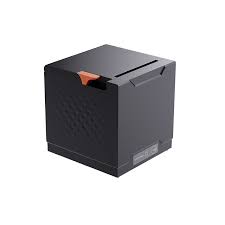
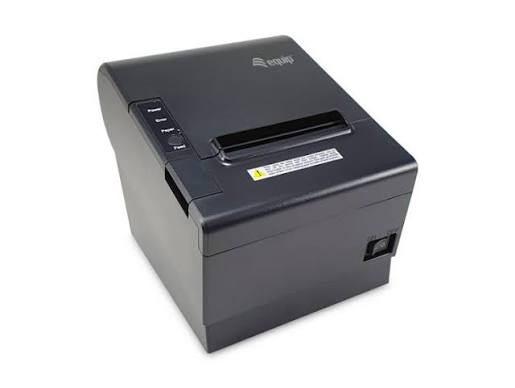
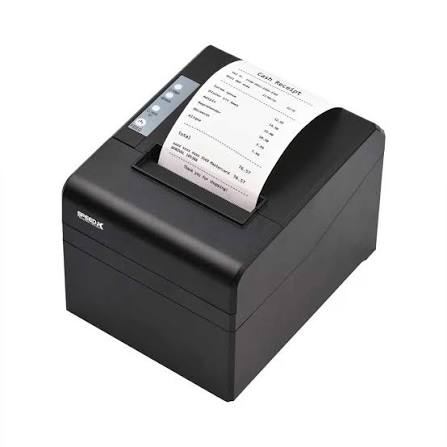
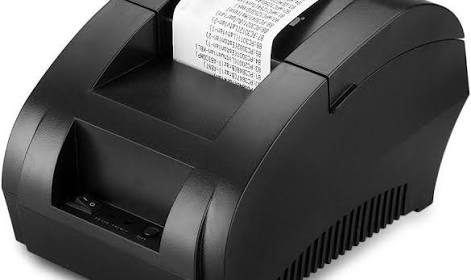
A Thermal Printer can be a practical option for businesses that need consistent printing for transactions, product identification, and logistics. These devices use heat to produce images and text on compatible materials, making them suitable for various commercial applications. Understanding the available technologies, features, and operating requirements can help businesses make an informed purchasing decision.
1. Identify Your Business Printing Requirements
The first step is to determine exactly what you need the printer to produce. A retail store printing customer receipts has different requirements from a warehouse creating shipping labels or a manufacturer producing product identification labels.
Consider the main purpose of the equipment:
- Receipt printing: Retail stores, restaurants, and service businesses may need compact printers for transaction records.
- Barcode printing: Warehouses and inventory departments require readable barcodes for tracking products.
- Product labeling: Manufacturers and retailers may need labels containing product names, prices, and identification details.
- Shipping documentation: E-commerce businesses often require printers that can produce shipping labels and delivery information.
- Mobile printing: Field service teams and mobile vendors may need portable equipment for printing away from fixed workstations.
Defining the intended application helps narrow down the available models and prevents unnecessary spending on features that the business may not use.
2. Understand the Different Types of Thermal Printers
Thermal printers generally use two main printing technologies: direct thermal and thermal transfer. Understanding the difference is important because each method is designed for particular applications.
Direct Thermal Printers
Direct thermal printers use a heated printhead to create images on specially coated thermal paper or labels. They do not require ink or toner cartridges, and they are commonly used for receipts, shipping labels, and short-term identification.
Their main advantage is operational simplicity. However, direct thermal prints can become less readable when exposed to heat, sunlight, friction, or certain environmental conditions.
Thermal Transfer Printers
Thermal transfer printers use heat to transfer ink from a ribbon onto a compatible label or material. This method can produce more durable printed information, depending on the ribbon and media selected.
They are often suitable for product labels, asset identification, and applications where printed information needs to remain readable for longer periods.
Businesses should select the technology based on label durability, environmental exposure, printing volume, and material compatibility.
3. Evaluate Printing Speed
Printing speed is an important consideration for businesses that handle frequent transactions or large labeling workloads. A printer with insufficient output capacity may create delays during busy periods.
Receipt printers are commonly evaluated by their printing speed in millimeters per second, while label printers may also be assessed by their output capacity and overall production rate.
When comparing models, consider:
- Average number of receipts or labels printed each day
- Expected peak printing volume
- Required printing dimensions
- Time available for each printing task
- Whether the printer will operate continuously or occasionally
A high-speed model is not automatically the best choice. The selected speed should match actual business demand while maintaining acceptable print quality.
4. Check Print Resolution and Quality
Print resolution affects how clearly a printer reproduces text, graphics, and barcodes. This is particularly important for businesses that print small labels or detailed product information.
Resolution is generally measured in dots per inch (DPI). Common specifications include 203 DPI, 300 DPI, and higher-resolution options.
A standard receipt printer may provide sufficient quality for transaction details, while smaller product labels may benefit from higher resolution. Businesses printing compact barcodes or detailed graphics should assess whether the selected model can produce consistently readable output.
It is also useful to test sample prints using the actual paper or label material before purchasing equipment for large-scale operations.
5. Consider Connectivity and Device Compatibility
A thermal printer must communicate reliably with the devices and software used by the business. Different models support different connection options, so compatibility should be checked before making a purchase.
Common connectivity options include:
- USB: Suitable for direct connections to computers and many POS terminals.
- Ethernet: Useful for connecting printers to local business networks.
- Bluetooth: Supports compatible mobile devices and portable POS systems.
- Wi-Fi: Allows supported devices to send print jobs over a wireless network.
- Serial connections: May be required by certain older or specialized systems.
Businesses should also check operating system support, available drivers, SDKs, and compatibility with their POS or inventory management software. Confirming these details in advance can prevent installation difficulties.
6. Choose the Correct Paper and Label Size
Not every thermal printer supports the same media dimensions. Receipt printers are designed for particular paper widths, while label printers may support different label sizes, thicknesses, and roll configurations.
Before purchasing, identify the dimensions and material specifications required for your printing tasks.
For example, a restaurant may need a receipt printer compatible with its preferred paper width, while an e-commerce company may require a label printer that supports standard shipping label dimensions.
Other important considerations include:
- Maximum media width
- Roll diameter and capacity
- Label gap or black-mark sensing
- Media thickness
- Core size and loading method
- Compatibility with coated or specialty materials
Using suitable media helps maintain consistent feeding and reduces the likelihood of printing problems.
7. Assess Daily Printing Volume
A business should select equipment that can handle its expected workload. A small office printing occasional documents does not necessarily need the same printer capacity as a supermarket or distribution center.
Review the manufacturer’s specifications for recommended usage, printhead life, cutter life, and other relevant performance indicators.
For high-volume applications, prioritize models designed for frequent operation. Features such as larger media capacity, automatic cutters, and easy paper replacement can also improve workflow efficiency.
It is wise to consider future growth. A printer that meets current needs but cannot handle increasing demand may need to be replaced sooner than expected.
8. Compare Durability and Build Quality
The working environment can influence how long a thermal printer performs reliably. Equipment used in busy retail counters, warehouses, kitchens, and industrial facilities may experience frequent handling, dust, vibration, or temperature changes.
Look for construction and performance specifications that suit the intended location.
Important factors include:
- Printhead durability
- Cutter performance
- Housing strength
- Paper-feeding reliability
- Resistance to environmental conditions
- Availability of replacement components
For demanding environments, businesses should confirm the printer’s operating temperature, humidity limits, and any relevant protection ratings rather than assuming every model is suitable for industrial use.
9. Consider Space and Installation Requirements
Physical dimensions matter, particularly when the printer will be installed at a crowded checkout counter or within a compact office workstation.
A small receipt printer may fit conveniently beside a POS terminal, while a larger label printer may require additional space for media rolls and label output.
Before ordering, measure the available installation area and consider how employees will access the paper compartment, cables, and control panel.
Businesses should also check whether the printer supports horizontal or vertical installation, wall mounting, or other arrangements where relevant.
10. Review Software and Integration Features
Hardware compatibility is only one part of the purchasing decision. The printer should also work with the software used to manage transactions, inventory, shipping, or production.
Some businesses require basic printing commands, while others need advanced features such as label templates, barcode formatting, and application development support.
Review the following:
- Supported printer languages and command sets
- Driver availability
- POS software compatibility
- Label design software
- SDK documentation
- Firmware update options
For businesses using specialized applications, technical documentation and integration support can be especially important.
11. Calculate the Total Cost of Ownership
The initial purchase price does not represent the complete cost of operating a thermal printer. Businesses should consider consumables, maintenance, replacement parts, and potential downtime.
A useful cost assessment includes:
| Cost factor | What to evaluate |
|---|---|
| Initial price | Purchase cost and included accessories |
| Paper and labels | Media prices and expected consumption |
| Ribbons | Required for thermal transfer printing |
| Maintenance | Cleaning supplies and routine servicing |
| Replacement parts | Printheads, cutters, and other components |
| Downtime | Possible costs of interrupted printing operations |
Direct thermal models may reduce consumable requirements because they do not need ribbons, but thermal paper remains an ongoing expense. Thermal transfer models require ribbons but may be more appropriate for durable labeling applications.
Comparing costs over the expected service life provides a more realistic basis for choosing equipment.
12. Check Warranty and Technical Support
Reliable after-sales support can make a difference when printing equipment develops problems or requires maintenance. Before purchasing, review the manufacturer’s warranty terms and available technical assistance.
Check whether the supplier provides:
- Clear warranty coverage
- Installation guidance
- Driver and firmware downloads
- Troubleshooting documentation
- Replacement parts
- Access to technical support
Businesses that depend heavily on printing should also consider how quickly replacement equipment or components can be obtained.
13. Test the Printer Before Making a Final Decision
When possible, request a sample unit or demonstration before placing a large order. Testing allows employees to evaluate the printer under realistic working conditions.
A practical assessment should include printing representative receipts or labels, checking barcode readability, testing software compatibility, and examining media-loading procedures.
It is also useful to observe how the printer performs during repeated printing tasks. This can reveal issues that may not be obvious from a product specification sheet.
For businesses purchasing several units, testing a model before expanding deployment can reduce the risk of choosing unsuitable equipment.
Conclusion
Choosing the right thermal printer requires a clear understanding of business applications, printing volume, media requirements, connectivity, and long-term operating costs. Direct thermal and thermal transfer technologies serve different purposes, so the appropriate option depends on the durability and type of output required.
By evaluating print speed, resolution, compatibility, construction, software support, and warranty coverage, businesses can select equipment that fits their daily operations. A careful comparison of these factors helps create a reliable printing setup while avoiding unnecessary expenses and future compatibility problems.