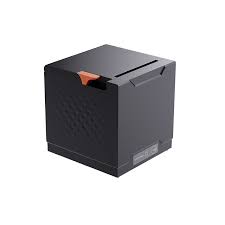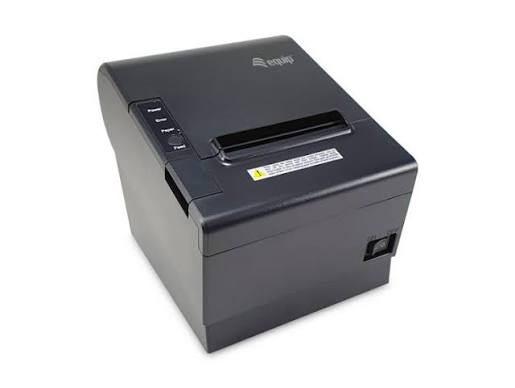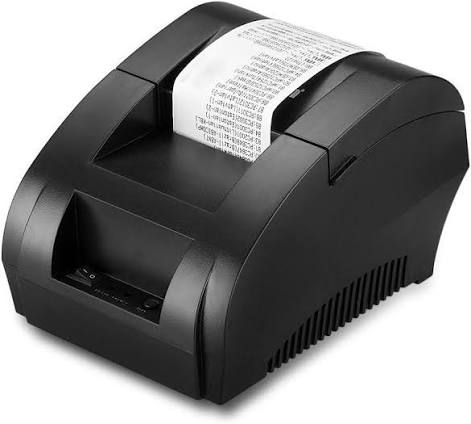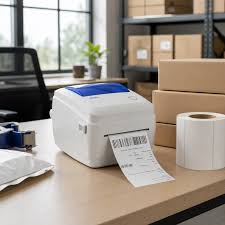
Thermal printers play an important role in many business operations, from generating customer receipts to producing shipping labels, product identification tags, and inventory records. Although the basic printing technology is similar across many devices, different industries have specific requirements regarding printing speed, media compatibility, connectivity, durability, and software integration. A printer designed for a small retail counter may not provide the features needed in a large warehouse or manufacturing facility.
To address these differences, manufacturers study industry workflows and develop equipment suited to particular applications. An experienced Thermal Printer Manufacturer considers factors such as operating environments, printing volume, user requirements, and technical compatibility when designing products. Understanding this development process explains why industry-specific solutions are important for businesses that depend on reliable printing equipment.
1. Understanding Industry-Specific Printing Requirements
The first step in developing an industry-specific thermal printer solution is understanding how customers use printing equipment.
Different businesses generate different types of printed information. Retail stores mainly need receipts, while logistics companies rely on shipping labels and barcode identification. Healthcare facilities may require patient identification labels, and manufacturers often use labels to track products throughout production.
Manufacturers evaluate several factors before selecting a suitable design:
- Daily printing volume
- Required print resolution
- Printing speed
- Paper and label dimensions
- Operating environment
- Connectivity requirements
- Software compatibility
- Maintenance expectations
Understanding these requirements helps engineers determine which printer features are necessary and which configurations may be unnecessary for a particular application.
2. Solutions for Retail and Point-of-Sale Businesses
Retail is one of the most common application areas for thermal printing technology. Supermarkets, convenience stores, restaurants, and specialty shops use printers to generate transaction records and customer receipts.
Retail environments often require compact printers that can operate reliably during busy business hours.
Manufacturers develop POS printing solutions with features such as:
- Fast receipt printing
- Consistent paper feeding
- Automatic cutting mechanisms
- USB, Ethernet, or serial connectivity
- Compatibility with POS systems
- Easy paper roll replacement
Printer size is another consideration because checkout counters may have limited space. Businesses also benefit from straightforward installation and maintenance procedures.
By focusing on these requirements, manufacturers can develop receipt printers that support everyday retail transactions without adding unnecessary complexity.
3. Solutions for Restaurants and Hospitality
Restaurants, cafes, hotels, and other hospitality businesses use thermal printers for order management, billing, and transaction records.
In restaurants, printing equipment may be connected to POS terminals or kitchen management systems. Orders can be sent to different printers depending on the restaurant’s workflow.
For example, a kitchen printer may produce order tickets for food preparation, while a front-counter printer generates customer receipts.
Manufacturers consider factors such as connection stability, printing speed, paper handling, and compatibility with restaurant software.
Some hospitality environments also require compact equipment that can be installed near service counters or kitchen workstations. The appropriate configuration depends on the restaurant’s layout and order management process.
4. Solutions for Logistics and Shipping Companies
The expansion of e-commerce has increased the demand for reliable shipping and package identification systems.
Logistics companies use thermal printers to produce shipping labels containing addresses, tracking numbers, barcodes, and handling information.
These applications require accurate printing because poorly reproduced barcodes or unclear addresses can interrupt package processing.
Manufacturers may develop label printers with:
- Support for different label sizes
- Consistent media alignment
- Clear barcode reproduction
- Reliable paper and label feeding
- Suitable printing speeds
- Integration with shipping platforms
For businesses handling large numbers of packages, printer reliability and easy media replacement are also important.
Selecting an appropriate label printer helps logistics operators maintain organized shipping processes and reduce avoidable labeling errors.
5. Solutions for Warehousing and Inventory Management
Warehouses depend on accurate identification systems to organize products, monitor stock levels, and manage inventory movement.
Thermal label printers support these activities by producing barcode labels, shelf identification tags, product labels, and storage location markers.
Warehouse applications may involve continuous printing and a variety of label materials. Manufacturers therefore consider media compatibility, printing consistency, connectivity, and operational durability.
Important features may include:
- Barcode and QR code printing
- Support for different label dimensions
- USB and network connections
- Compatibility with inventory management software
- Reliable media detection
- Easy printer configuration
Some warehouses require desktop printers for individual workstations, while larger operations may need industrial equipment designed for heavier workloads.
The correct choice depends on printing volume, label requirements, and the warehouse’s existing technology infrastructure.
6. Solutions for Healthcare Facilities
Healthcare organizations use thermal printing in several administrative and identification processes.
Hospitals, laboratories, pharmacies, and medical clinics may print patient identification labels, specimen labels, prescription information, and inventory records.
Accuracy is particularly important because incorrect or unreadable labels can create confusion during identification and record management.
Manufacturers consider factors such as print clarity, barcode readability, software compatibility, and media specifications when developing equipment for healthcare environments.
Depending on the application, printers may need to support specialized label formats or integrate with healthcare information systems.
Businesses should also evaluate applicable privacy, safety, and regulatory requirements when selecting printing equipment for medical facilities.
7. Solutions for Manufacturing and Industrial Operations
Manufacturing facilities use thermal printing to support product identification, production tracking, and quality management.
Labels may contain serial numbers, batch information, barcodes, production dates, or handling instructions.
Unlike some office and retail environments, industrial facilities may expose equipment to dust, temperature variations, vibration, or frequent operation.
Manufacturers may therefore develop industrial printers with more robust mechanical structures and configurations suitable for demanding workloads.
Important considerations include:
- High-volume printing capability
- Durable construction
- Label material compatibility
- Accurate barcode output
- Network integration
- Convenient maintenance access
Industrial printer selection should be based on the actual working environment rather than general specifications alone.
8. Solutions for Transportation and Public Services
Transportation companies and public service organizations use thermal printers for tickets, receipts, identification labels, and transaction records.
Bus operators, railway services, parking facilities, and ticketing providers may require compact devices that can print quickly during customer interactions.
Mobile applications may need portable printers with battery-powered operation and wireless connectivity.
Manufacturers evaluate the intended operating conditions, printing volume, device size, and communication requirements before developing suitable configurations.
For example, a ticketing printer used by field personnel may require a different design from a fixed device installed at a transportation counter.
9. Solutions for Banking and Financial Services
Banks, payment service providers, and financial institutions use thermal printers to generate transaction receipts and other printed records.
These devices are commonly integrated into POS terminals, payment systems, kiosks, and self-service machines.
Financial applications often prioritize consistent output, dependable connectivity, and compatibility with payment processing equipment.
Manufacturers may develop compact receipt printers with suitable interface options and firmware support.
They also need to consider the operational requirements of the systems with which the printers will communicate. Testing compatibility before deployment helps reduce interruptions in transaction processing.
10. Developing the Right Printing Technology
Different industries may require different thermal printing methods.
The two main technologies are direct thermal printing and thermal transfer printing.
Direct Thermal Printing
Direct thermal printers use heat-sensitive media to produce text, images, and barcodes. They do not require a conventional ink ribbon.
This technology is commonly used for receipts, temporary labels, shipping labels, and other applications where the printing material is suitable.
Thermal Transfer Printing
Thermal transfer printers use a heated printhead and ribbon to transfer ink onto the printing material.
This method can be suitable for labels that need greater resistance to environmental exposure, depending on the media and ribbon combination.
Manufacturers consider label lifespan, storage conditions, printing volume, and application requirements when recommending a technology.
Selecting the right method helps businesses avoid unnecessary operating costs and media-related problems.
11. Customizing Hardware for Specific Applications
Some industries need more than standard printer configurations.
OEM customers and businesses with specialized workflows may request modifications to housing designs, connectivity, paper handling, or internal components.
Possible customization options include:
- Different interface combinations
- Customized printer housings
- Alternative paper or label widths
- Specific cutter configurations
- Special mounting arrangements
- Customized power supply options
The feasibility of these modifications depends on the product platform and manufacturing capabilities.
Before approving a customized printer, businesses should evaluate a sample to confirm that the hardware meets their operational requirements.
12. Improving Software and System Integration
A thermal printer must work effectively with the software and devices used in its target industry.
Retail businesses may use POS applications, warehouses may operate inventory platforms, and logistics companies may depend on shipping management systems.
Manufacturers support integration through compatible drivers, printing command languages, SDKs, and configuration utilities.
Software-related development may involve:
- Operating system compatibility
- Printer driver support
- Communication protocols
- Barcode printing functions
- Firmware configuration
- Application integration
- Device management tools
Businesses should provide technical information about their existing systems before selecting a printer. Early compatibility testing can prevent problems during installation and daily operation.
13. Designing Printers for Different Operating Environments
The physical environment can influence the design and configuration of thermal printers.
A device used at a clean retail checkout counter may face different conditions from equipment installed in a busy factory or warehouse.
Manufacturers evaluate environmental factors such as dust, heat, humidity, vibration, and available installation space.
These considerations may influence housing materials, ventilation, mechanical design, and component protection.
For mobile applications, manufacturers may also consider portability, battery operation, and resistance to normal handling conditions.
Understanding the operating environment helps businesses select equipment that is appropriate for its intended location.
14. Balancing Printing Speed and Output Quality
Different industries have different priorities when it comes to printing speed and quality.
A busy retail checkout may require rapid receipt production, while a specialized labeling application may place greater emphasis on barcode accuracy and detailed output.
Manufacturers test different combinations of printhead resolution, media characteristics, and operating speeds to achieve suitable results.
The objective is to provide consistent output under the conditions expected in the target application.
Businesses should avoid choosing a printer based only on its maximum advertised speed. They should also evaluate actual print quality, workload, media compatibility, and system performance.
15. Using Research and Development to Improve Industry Solutions
Research and development helps manufacturers identify new requirements and improve existing printer designs.
Engineering teams may investigate more efficient electronics, improved printhead control, stronger mechanical components, and better software compatibility.
Customer feedback can also provide valuable information about recurring operational problems.
For example, feedback from warehouse operators may reveal difficulties with label alignment, while restaurant customers may request easier printer installation or more stable connectivity.
Manufacturers can use these findings to prioritize product improvements and develop solutions that address practical challenges.
16. Maintaining Quality and Reliability Across Applications
Quality assurance is essential because a printer that performs well in one environment may not automatically be suitable for another.
Manufacturers use testing procedures to verify that products meet their intended specifications.
Common evaluations include:
- Print quality and barcode readability
- Paper-feeding accuracy
- Cutter operation
- Interface functionality
- Firmware performance
- Power system checks
- Mechanical durability
- Compatibility with supported media
Industry-specific configurations may require additional testing. For example, a printer intended for high-volume labeling should be evaluated under workloads that reflect its expected use.
Consistent inspection helps manufacturers identify problems before products reach customers.
17. Supporting Different Business Sizes and Budgets
Businesses have different purchasing capacities and operational requirements.
A small shop may need an affordable receipt printer with basic connectivity, while a large distribution center may require multiple high-capacity label printers.
Manufacturers develop product ranges that address different performance levels, applications, and price categories.
When comparing options, businesses should consider:
- Initial equipment cost
- Expected printing volume
- Consumable expenses
- Maintenance requirements
- Software compatibility
- Expected service life
- Availability of technical support
A lower-priced device may be suitable for a light workload but less practical for continuous industrial use.
Choosing equipment according to actual operating requirements can improve long-term value.
18. Supporting OEM and Private Label Requirements
Businesses that sell printing equipment under their own brands may need customized solutions for specific customer groups.
OEM and private label arrangements allow companies to work with manufacturers on branding, product configurations, packaging, and selected technical modifications.
For example, a distributor focused on retail technology may want a range of branded receipt printers, while a supplier serving logistics businesses may prioritize label-printing products.
Manufacturers can support these projects through sample development, customization, production planning, and quality inspections.
Clear specifications and written agreements are important to ensure that the final products meet the intended market requirements.
19. How Businesses Can Select Industry-Specific Thermal Printers
Choosing a suitable thermal printer requires evaluating the entire application rather than focusing on one technical feature.
Businesses can follow a practical selection process:
- Identify the main printing task, such as receipt, shipping label, or product identification printing.
- Estimate daily and peak printing volumes.
- Determine the required print resolution and speed.
- Confirm paper or label dimensions and media compatibility.
- Review available connectivity options.
- Check compatibility with existing software and hardware.
- Consider environmental and installation conditions.
- Compare maintenance requirements and total operating costs.
- Test samples before purchasing in bulk.
This approach helps buyers identify products that fit their actual workflows and avoid unnecessary features.
20. Future Developments in Industry-Specific Thermal Printing
Thermal printer solutions are likely to continue evolving as businesses adopt more connected and automated operations.
Several developments may influence future product design.
Greater Wireless Connectivity
Improved wireless communication may make it easier to deploy printers in mobile environments and flexible workspaces.
Cloud-Based Management
Cloud-connected printing systems may support remote configuration, monitoring, and centralized device administration.
Smarter Automation
Improved error reporting and device monitoring may help businesses identify printing problems more quickly.
More Efficient Designs
Manufacturers may continue exploring compact structures, improved power management, and more efficient internal components.
Advanced Software Integration
Better integration with inventory, logistics, retail, and enterprise platforms may expand the role of thermal printers in connected business operations.
The adoption of these developments will depend on technical feasibility, cost, security, and customer demand.
Conclusion
Thermal printer manufacturers develop industry-specific solutions by studying customer workflows, selecting appropriate printing technologies, and adapting hardware and software to different operating requirements. Retail, hospitality, logistics, healthcare, warehousing, manufacturing, and transportation businesses all have distinct printing needs that influence product design and configuration.
When selecting equipment, businesses should consider printing volume, media compatibility, connectivity, operating conditions, and long-term maintenance requirements. Working with a manufacturer that understands these factors can help companies choose practical printing solutions and support more efficient daily operations.